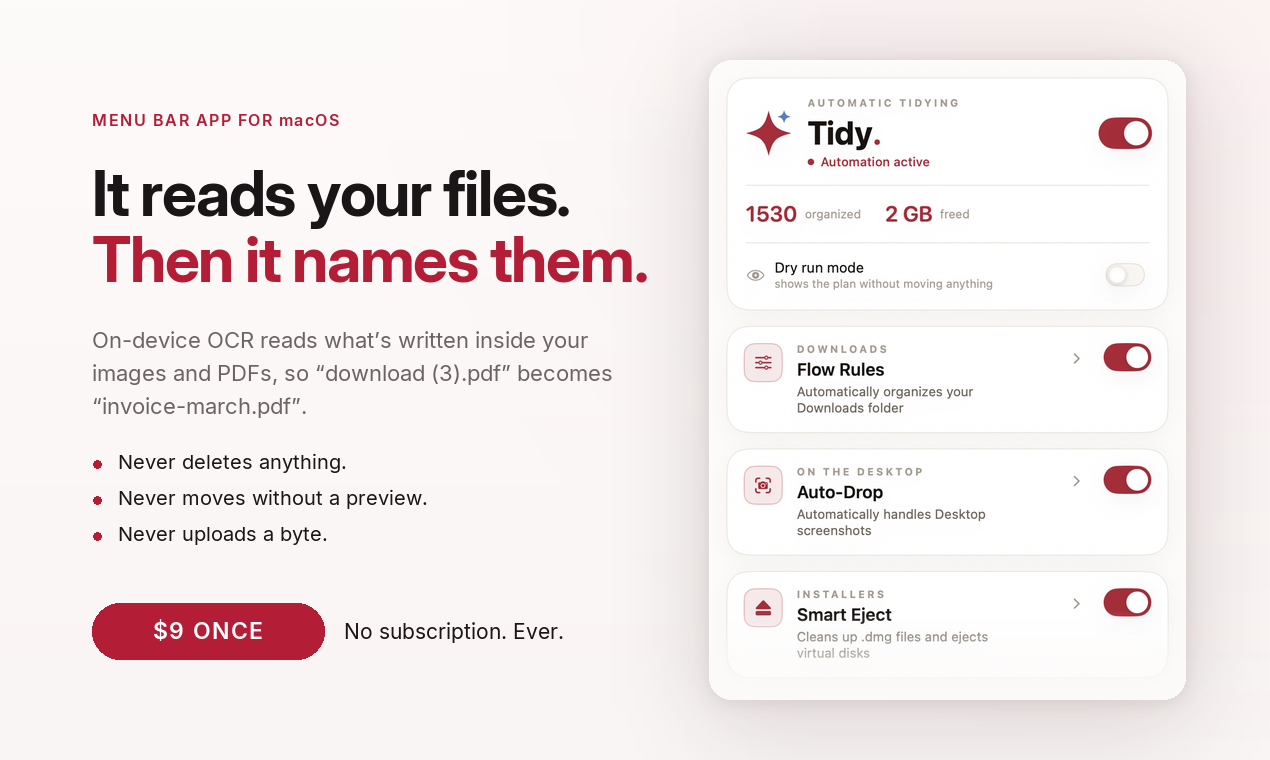
Tidy is the lightweight, private, and smart menu bar utility that automatically organizes your Desktop, Downloads, and custom folders. Using fast on-device intelligence (OCR), Tidy reads what your files actually say and gives them the names and locations they deserve the moment they land.
No tedious rule-building. No monthly subscriptions. Just a clean Mac.
Key Features
Smart Content-Based Renaming (OCR)
- Understands Content: Turns Screenshot 14.22.10.png into invoice-march.png or download (5).pdf into lease-agreement.pdf.
- Zero Rules Needed: Run "Rename Now" on-demand to preview smart name suggestions and apply them in one click.
- Custom Styles: Customize capitalization, separators, date formats, and transliteration to match your workflow.
Everyday Automation Made Effortless
- Auto-Drop Screenshots: Automatically archives screenshots from your Desktop and files them by the app they originated in (Figma, Safari, Zoom).
- Smart .dmg Eject: Automatically ejects mounted installer disk images and trashes the leftover installer file.
- Flow Rules: Auto-sort Downloads by file type, name, or keywords found inside the document.
- Habit Learning: Move the same type of file three times, and Tidy intelligently suggests a rule to take over for you.
Supercharged Local Search (⌥ + Space)
- Search inside scanned PDFs, receipts, and images using a private, instant local index.
- Spotlight often misses scanned text—Tidy’s quick-launch panel finds the exact excerpt immediately.
Privacy & Safety First
- 100% On-Device: Nothing ever leaves your Mac. No cloud servers, no accounts, and no telemetry.
- Privacy Audit: Detects and alerts you if sensitive information (credit cards, IDs, signed contracts) is exposed in open folders.
- Disguise Alerts: Warns you instantly if dangerous executables arrive masquerading as documents (e.g., Invoice.pdf.app).
- The Safety Guarantee: Tidy never deletes permanently (only moves to Trash), never touches your past backlog without permission, and allows 1-click batch undo.
Pro Workflow Tools
- Stage Mode: Instantly hide Desktop clutter and mute alerts with one toggle before screen sharing or video calls.
- Travel Mode: Forces iCloud to download cloud-only files locally before boarding a flight.
What’s New in Version 2.2
- ⌥ + Space Quick Search: Search inside scanned PDFs and images instantly.
- Encrypted Indexing: File metadata indexes stored safely with Keychain-backed encryption.
- Expanded Languages: Native support for English, Spanish, German, French, and Brazilian Portuguese.
- Performance Enhancements: Optimized for macOS 14+ on both Apple Silicon and Intel Macs.